
Settings: Word list
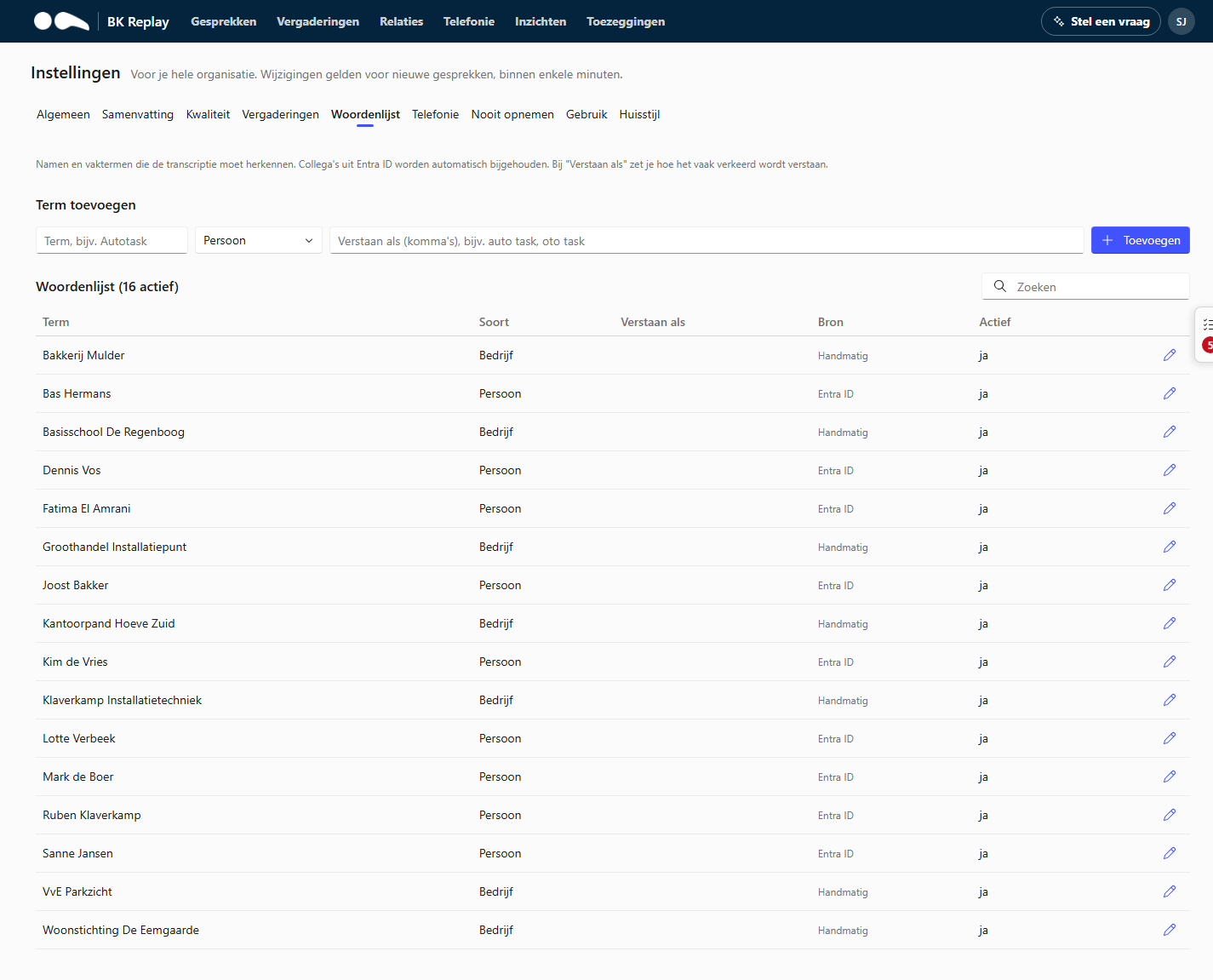
The word list contains names and terms the transcription must recognise: colleagues, customers, products, brands and jargon. For every call, BK Replay passes the relevant terms to the speech recognition, and after transcription misheard names are corrected.
Kept up to date automatically
- Colleagues from Entra ID are updated daily (source "Entra ID").
- If your organisation has an integration with a CRM or PSA, names from there can be kept up to date as well (source "CRM").
For automatic terms you can only change the variants (Heard as); the term itself follows the source.
Adding a term
Fill in the term as it should be written, choose the type (Person, Company, Product or Specialist term) and optionally fill in under Heard as how it is often misheard, separated by commas. Click Add.
| Term | Type | Heard as |
|---|---|---|
| Autotask | Product | auto task, oto task |
| Klaverkamp | Company | klaver kamp, claverkamp |
| Intergas | Product | inter gas |
Tips:
- Mainly add names that are unusual or resemble ordinary words.
- "Heard as" is the most powerful: put the mistakes you keep seeing in transcripts there.
- Switching a term off (Active off) is better than deleting it if in doubt; you can switch it on again later.
Suggestions from users
When a user corrects a word in a transcript, that becomes a suggestion: the correct term and how it was heard. If "add directly" is off under General, suggestions appear at the top of this tab (with their number in the tab name). Choose Accept or Reject for each suggestion.
Editing and deleting
Click the pencil next to a term to change the term, type, variants or Active, or to delete a manual term. Changes apply to calls processed after that.