
Settings: Branding
Give the portal and the Teams app your organisation's name, colours and logo. Leaving a field empty means the BK Replay default.
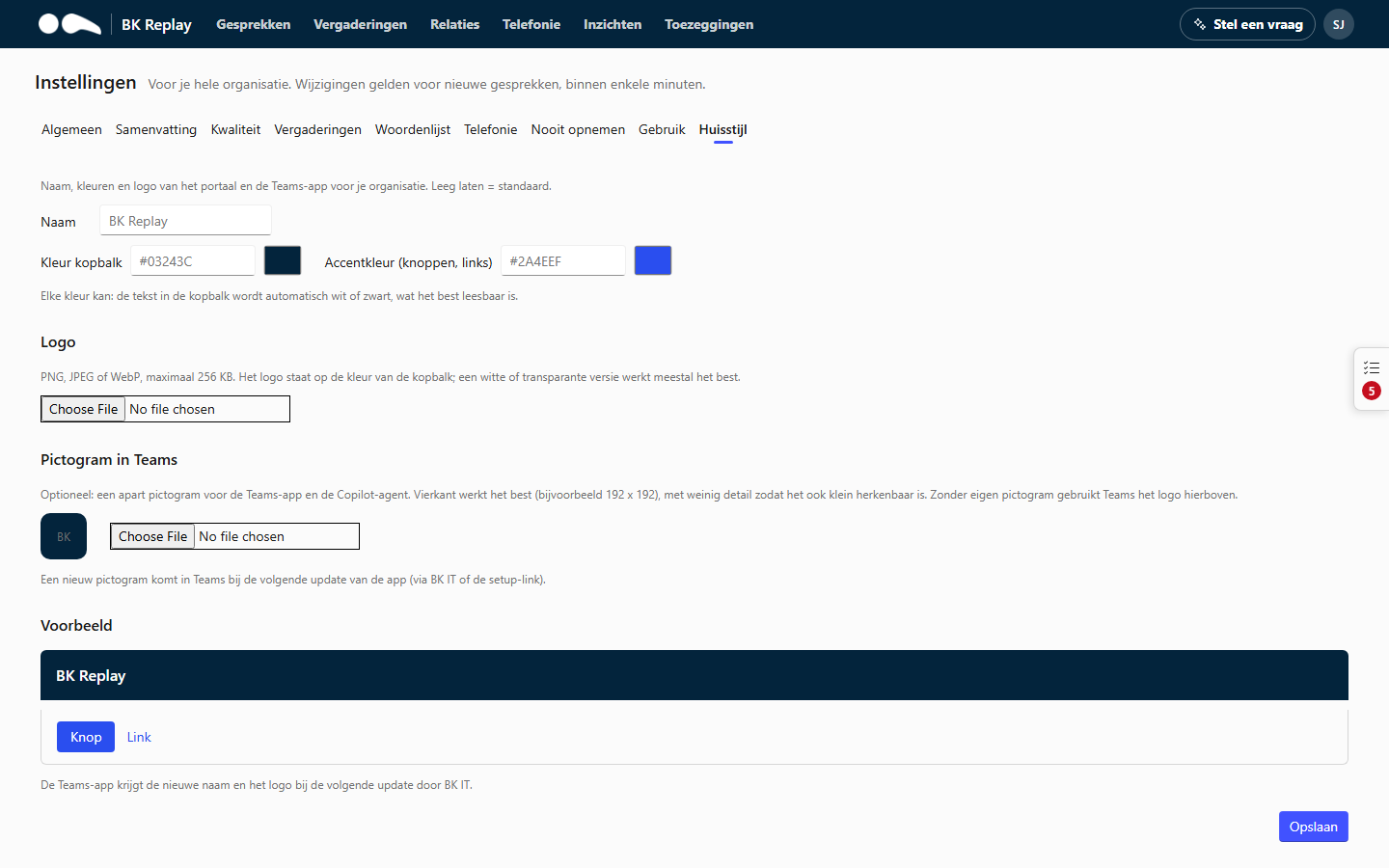
Name and colours
- Name: the product name in the portal, the Teams app and the meeting announcement (at most 60 characters). "BK Replay" by default.
- Header colour: the colour of the bar at the top, as a hex code (for example
#03243C) or with the colour picker. - Accent colour: the colour of buttons and links.
Any colour works: the text in the header automatically becomes white or black, whichever reads best.
Logo
PNG, JPEG or WebP, at most 256 KB. The logo sits on the header colour; a white or transparent version usually works best.
Icon in Teams
Optional: a separate icon for the Teams app. Square works best (for example 192 x 192 pixels), with little detail so it is recognisable when small. Without its own icon, Teams uses the logo.
A new name or icon reaches Teams with the next version of the app. Ask BK IT for an updated app package and upload it in the Teams admin center (see The Teams app).
Preview
Preview immediately shows how the header, a button and a link look. Click Save to use the branding for everyone in your organisation.