
Meetings
With the Meetings module, BK Replay records a Teams meeting when you invite it. It remains an extra: BK Replay only records meetings it was invited to. The module is switched on or off per organisation; ask BK IT if you want to use it.
Having a meeting recorded
- Invite your organisation's BK Replay address to the meeting, just like a colleague. This is a shared mailbox, for example
replay@yourdomain.com, which BK IT sets up with your administrator when switching the module on. - BK Replay accepts the invitation and follows changes, cancellations and recurring meetings.
- When the meeting starts, BK Replay joins. If the lobby is on, admit it.
- As soon as someone is in the meeting, BK Replay speaks a short announcement. Teams shows no recording notice of its own for these recordings, so the announcement is the notice to the participants. You set the text and voice under Settings > Meetings.
- BK Replay leaves when it has been alone for a few minutes.
The organiser must be a colleague from your own organisation. A recording that started later or stopped earlier is kept as it is.
What you see
Meetings lists the recorded meetings you were invited to, attended or were given access to. Search by subject.
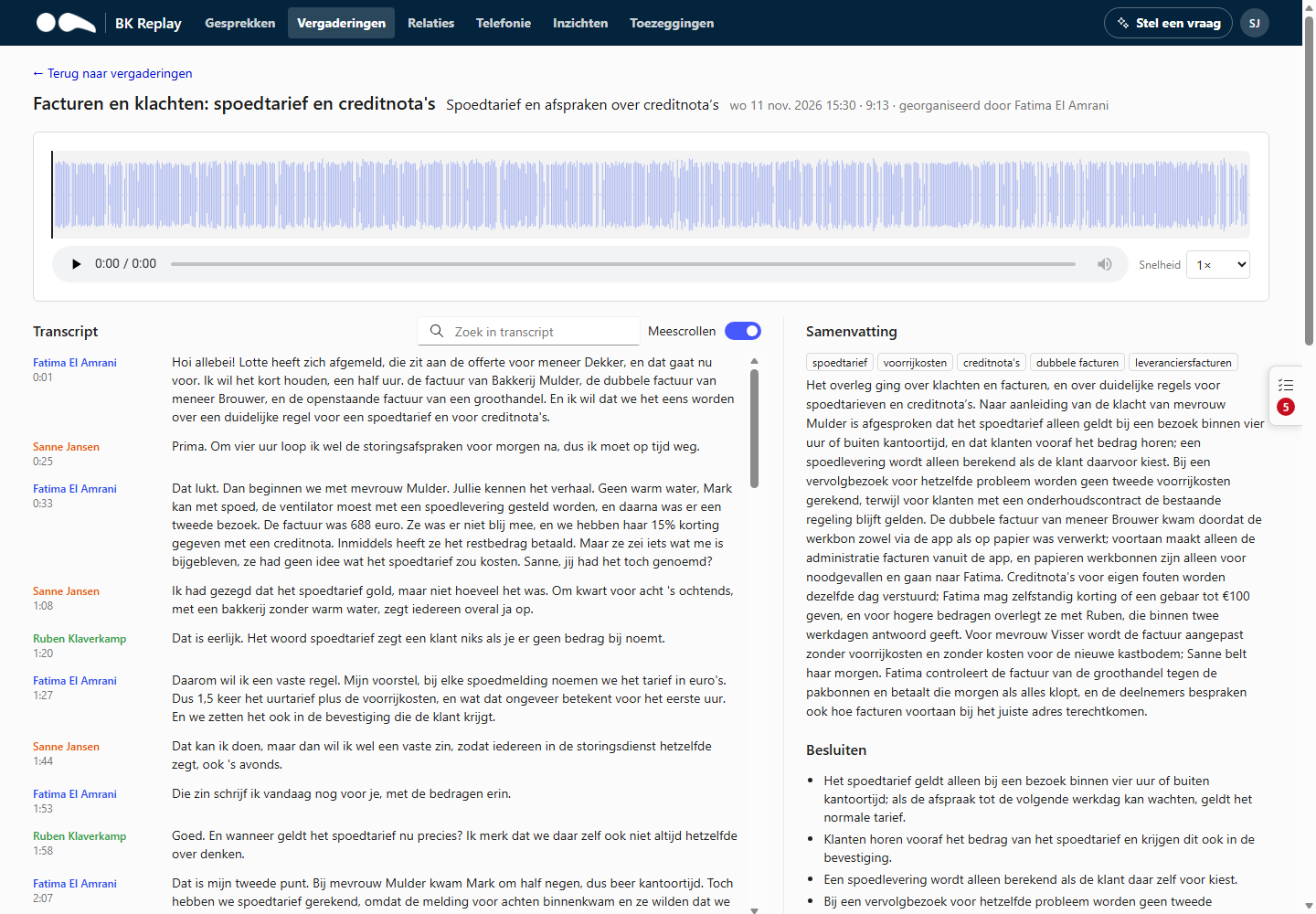
A meeting has:
- a player with waveform and the transcript per speaker, with search and auto-scroll;
- a summary with decisions, action items per person and open questions (translated if translation is on and you use the portal in another language);
- the speakers: anyone who used their own Teams device is recognised automatically. Several people on one device (for example a meeting room) are called "Speaker 1, 2, ..."; anyone with access can give them a name;
- access: who can see the meeting.
Who has access
- Everyone from your organisation who was invited (even if they did not attend) or who attended.
- Colleagues the organiser gives access to. Only the organiser can give or revoke access.
- Guests and people from other organisations never get access.
- You always need a role in BK Replay as well (User or higher).
- Managers and Administrators do not see other people's meetings: the "all calls" role does not apply to meetings.
Recording meetings can count as monitoring staff. Works council consent may be required. That is your organisation's responsibility.