
Promises
What an employee promises in a call ("I'll call you back tomorrow", "I'll send the quote on Friday") becomes a promise in a personal list the employee ticks off. Managers see per employee what is still open or overdue.
Promises are off by default. An administrator switches them on under Settings > General. They apply to calls summarised after switching on.
What counts as a promise
- Only action items from the summary that the organisation has to carry out, in calls in which the employee was recorded. What the caller would do does not count.
- A moment that was mentioned ("tomorrow", "Friday") becomes a date. Without a moment a promise has no date and is never overdue.
My promises
On the right of every page is a button with a counter: the number of open promises. The counter is red when something is overdue. Clicking it opens the My promises panel.
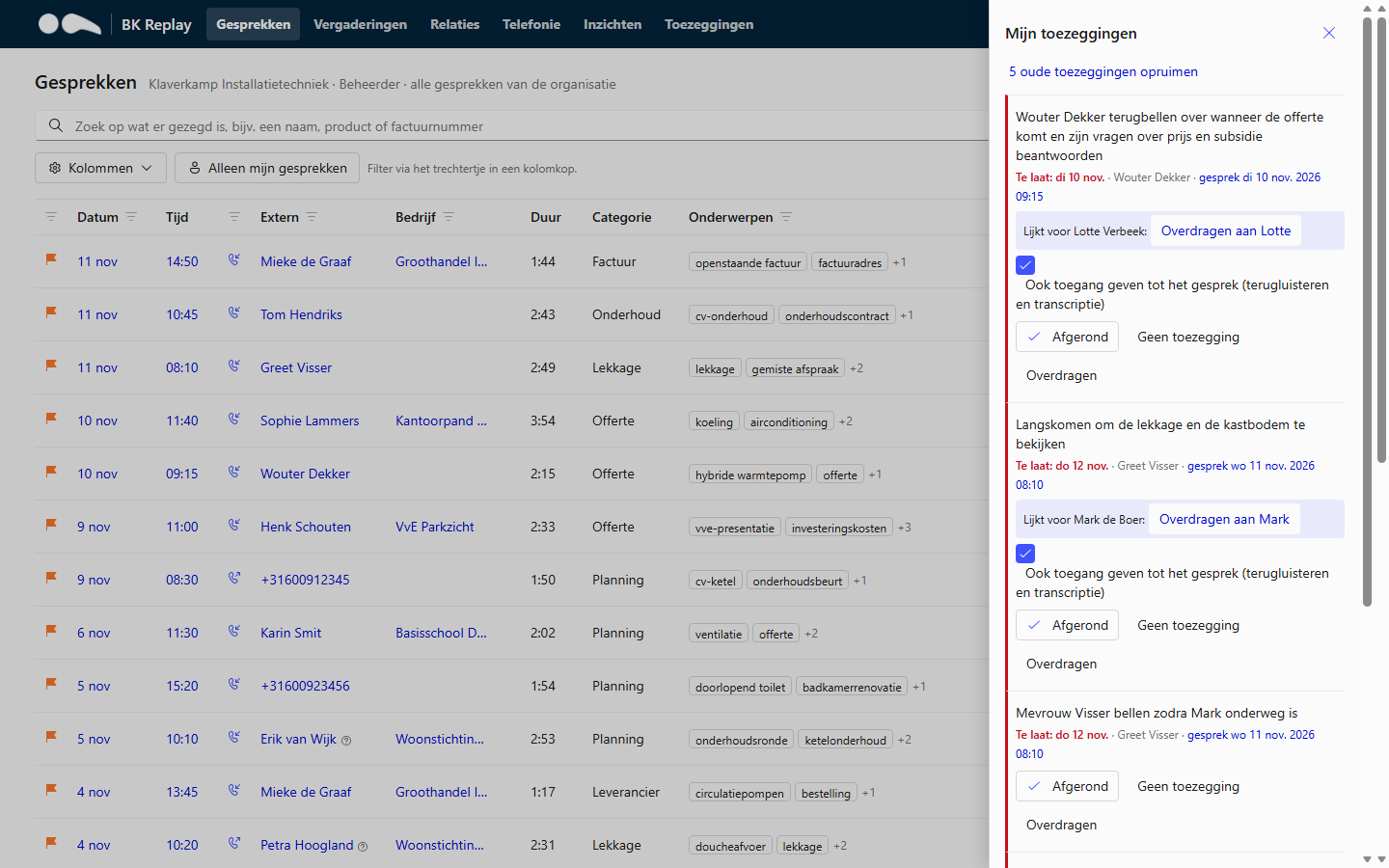
For each promise you see the text, the relation, the date and a link to the call at the moment it was said. You can choose:
- Done: it has been done.
- Not a promise: the AI wrongly saw this as a promise. This helps the AI do better later.
- Hand over: a colleague picks it up. With Also give access to the call (on by default) the colleague can also listen to and read the call. If the employee named a colleague in the call, BK Replay suggests that colleague.
- Seems done: if there was contact with the same relation again after the promise, BK Replay suggests closing it, with a link to that call. Click That's right to confirm.
- Clear up old promises: closes in one go your open promises from more than seven days ago that have no date or whose date has passed.
Closed promises stay visible for seven more days, with Reopen to open them again.
If the call was sent to Autotask as a ticket, the promise is closed automatically as soon as the ticket is completed.
Overview for managers
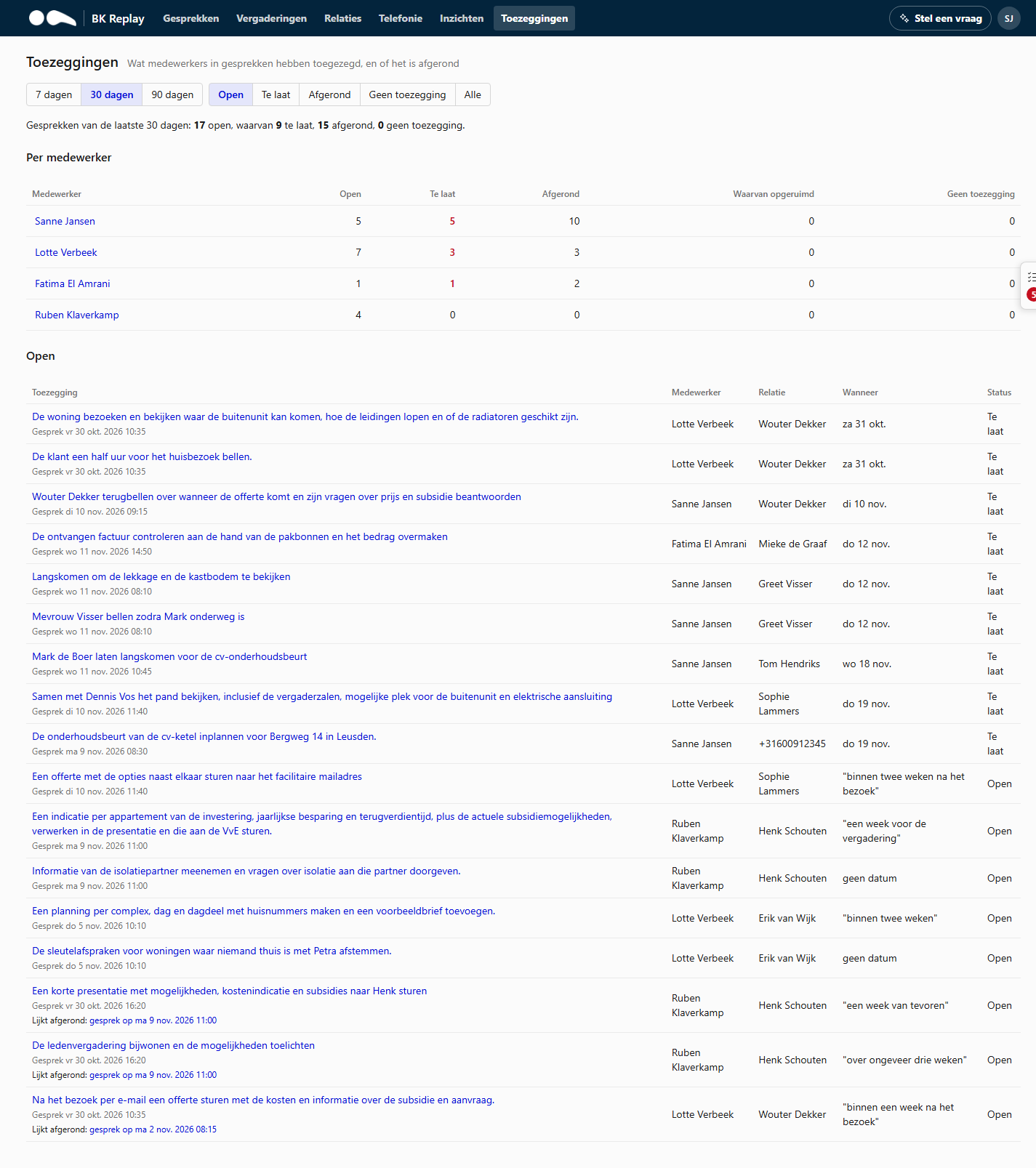
Managers and Administrators see the organisation's overview under Promises: per employee how many promises are open, overdue, done or not a promise, followed by the promises themselves. Filter by period, status and employee. The overview is read-only: ticking off is up to the employee.
Tracking whether employees keep their promises can count as monitoring staff. Works council consent and a DPIA may be required. That is your organisation's responsibility. A promise handed over with access to the call also gives a colleague access to a recording they were not part of.