
Settings
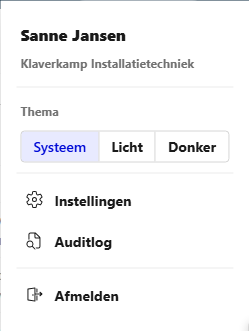
Under Settings (account menu top right, or in Teams under More), an Administrator sets up BK Replay for the whole organisation. Only people with the Beheerder (Administrator) role see this page (see Roles and access).
Changes apply to new calls, within a few minutes. Every change is recorded in the audit log.
| Tab | What you control there |
|---|---|
| General | Retention periods, languages, corrections by users, notifications in Teams and promises |
| Summary | Tailoring the summary to your organisation: context, instructions, categories and extra fields |
| Quality | Your own yes/no questions the AI answers per call |
| Meetings | The announcement and voice for recorded meetings (only with the Meetings module) |
| Word list | Names and terms the transcription must recognise, and suggestions from users |
| Telephony | Which calls and queues count, figures per employee and queue members (only with Telephony) |
| Never record | Numbers, contacts and companies whose calls are never recorded |
| Usage | Number of calls, recorded employees and AI usage per month |
| Branding | Name, colours, logo and Teams icon |
On the General, Summary, Quality, Meetings and Branding tabs, click Save to keep a change. The word list, Telephony and Never record save every change immediately.
Some settings only become available after BK IT has updated your organisation's database. The setting then says so.