
Welcome to BK Replay
BK Replay records your employees' phone calls in Microsoft Teams, turns them into text and writes a summary automatically. In the portal and the Teams app you can listen back to calls, read the transcript and see what was agreed.
This documentation is for administrators: the person in your organisation who sets up BK Replay, decides who can see what and manages the settings. Employees will also find an explanation of the parts they use every day.
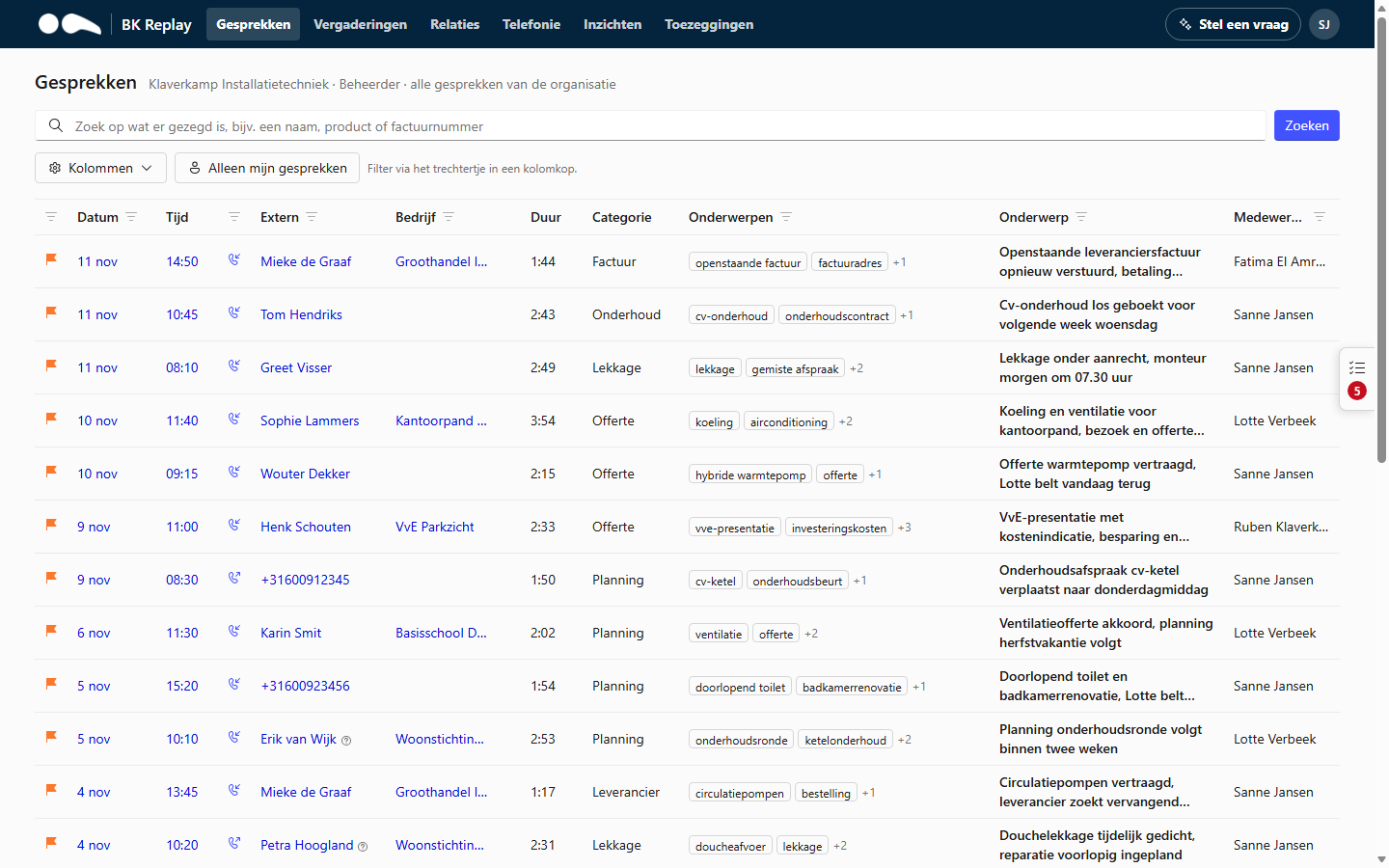
What BK Replay does
- Recording: calls of employees with a recording policy are recorded automatically, incoming and outgoing. Teams shows during the call that it is being recorded.
- Transcript and summary: after the call, BK Replay creates a transcript showing who said what, and a summary with action items, topics and a category.
- Finding things: search for what was said, filter by person, number, company or topic, and see all calls with a customer on one page.
- Follow-up: promises employees make ("I'll call you back tomorrow") end up in a list they tick off, and missed calls end up on a call-back list.
- Insight: busy hours, what calls are about, how they go and how quickly calls are answered.
Where to find it
- The portal: voice.bkit.nl (or your organisation's own address agreed with BK IT). You sign in with your Microsoft 365 account.
- The BK Replay app in Teams: the same data, without signing in again. See The Teams app.
The portal is available in Dutch and English. It follows your browser's language; choose another language in the account menu (top right) under Language. In Teams the choice is under More. Summaries can also be translated into the portal language automatically: see Translating summaries.
Quick links
- How BK Replay is set up: your own storage, database and AI, without keys and with least privilege.
- Getting started: what is needed before your organisation uses BK Replay.
- Roles and access: who can see what, and how to arrange that in Microsoft Entra.
- Settings: every setting you can change as an administrator.
- BK Replay in Copilot and Claude: questions about your calls in Microsoft 365 Copilot and Claude.
- Privacy and security: where the data is stored and who can access it.
The screenshots in this documentation come from a demo environment with a made-up company. Names, numbers and calls are fictional. Until the English screenshots are added, they show the Dutch portal.