
Audit log
The audit log shows who viewed, listened to, exported or deleted what. Managers and Administrators open it through the account menu (top right) or in Teams through More.
What it contains
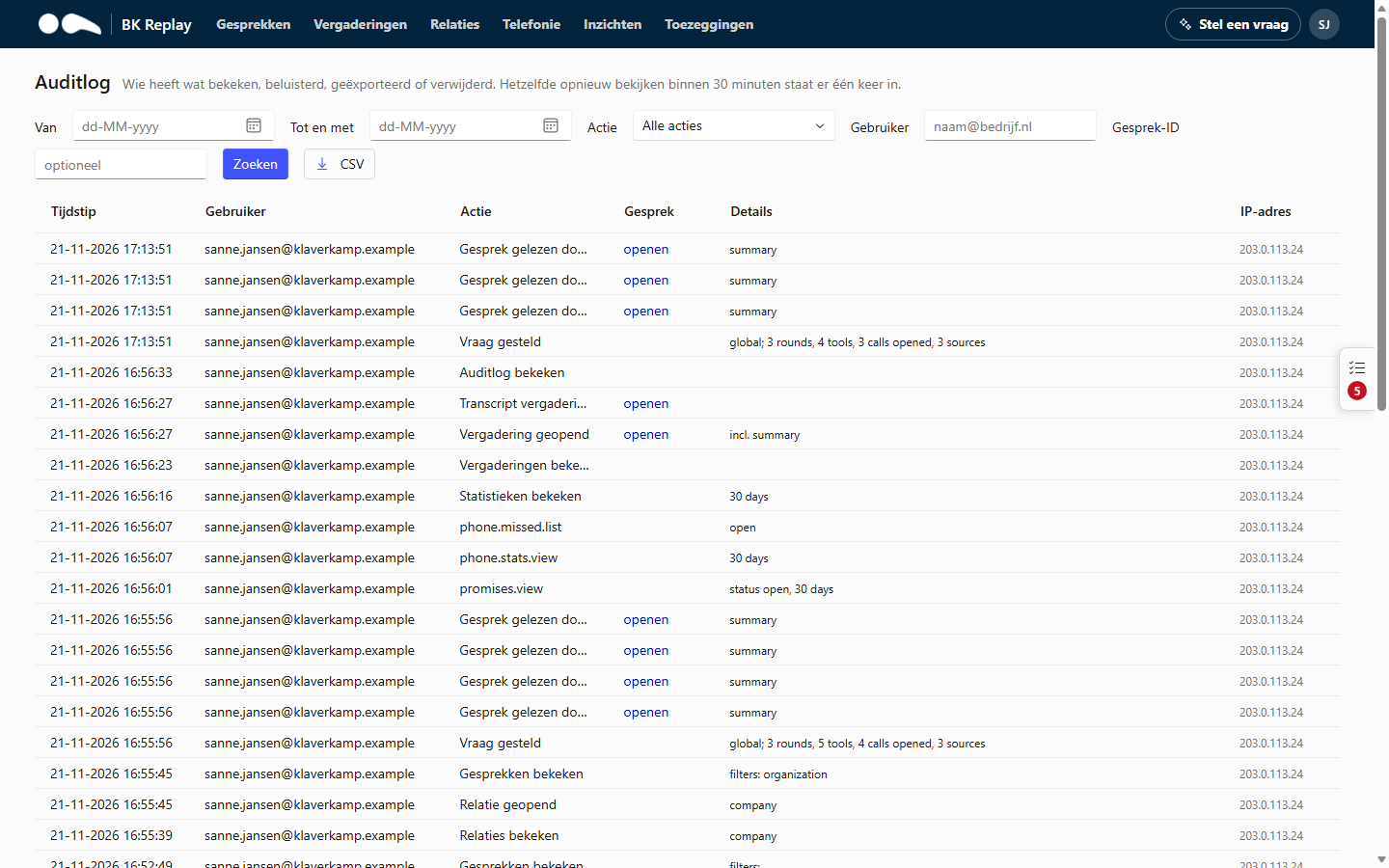
Each line has the time, the user, the action, the call (with a link), details and the IP address. These actions are recorded, among others:
- calls viewed (with which filters), a call opened, a transcript read, a call listened to;
- exported and deleted (with the reason given);
- a transcript corrected, the word list or the settings changed, including the Never record list;
- questions asked through Ask a question (only that there was a question and which calls were read, not the question itself);
- promises closed, handed over or cleared up, and the overview viewed;
- meetings opened, listened to, and access given or revoked;
- statistics and the Telephony page viewed.
Viewing the same thing again within 30 minutes is recorded once, so the log stays readable. The content of calls never goes into the audit log.
Searching and exporting
Filter by period, action, user (email address) or call ID. CSV downloads the lines matching your filter, for example for a data subject request or an internal review.
A deleted call stays in the audit log as a line: who deleted it, when and why, without content.